November 15, 2026
How to Do Local SEO for Small Businesses in 5 Steps
Local SEO for small businesses comes down to five jobs: claim and complete your Google Business Profile, add clear local signals to your website, make your business details match across the web, earn...
Written by Frankwin Hooglander
Local SEO for small businesses comes down to five jobs: claim and complete your Google Business Profile, add clear local signals to your website, make your business details match across the web, earn and answer reviews, and track what happens. Do them in that order and you give Google what it needs to show your business to people searching near you.
The problem is that most advice reads like a list of acronyms. You run a business, you don't work in marketing. Meanwhile a competitor with a weaker website shows up on the map and you don't. The gap is rarely budget. It is usually an incomplete profile, mismatched listings, and a website that never says where you work.
This guide walks through each step in plain terms, with templates you can copy. It also covers what local business SEO costs, how long it takes, and how to tell it is working. We build this for home service companies like HVAC, plumbing and landscaping, so some examples lean that way. The steps work for any business that serves a local area.
Why local SEO pays off for small businesses
How Google decides who appears on the map
Google ranks local results on three factors: relevance, distance and prominence. That is what separates local SEO from general SEO, which ignores distance. Here is what each factor means and how much of it you control.
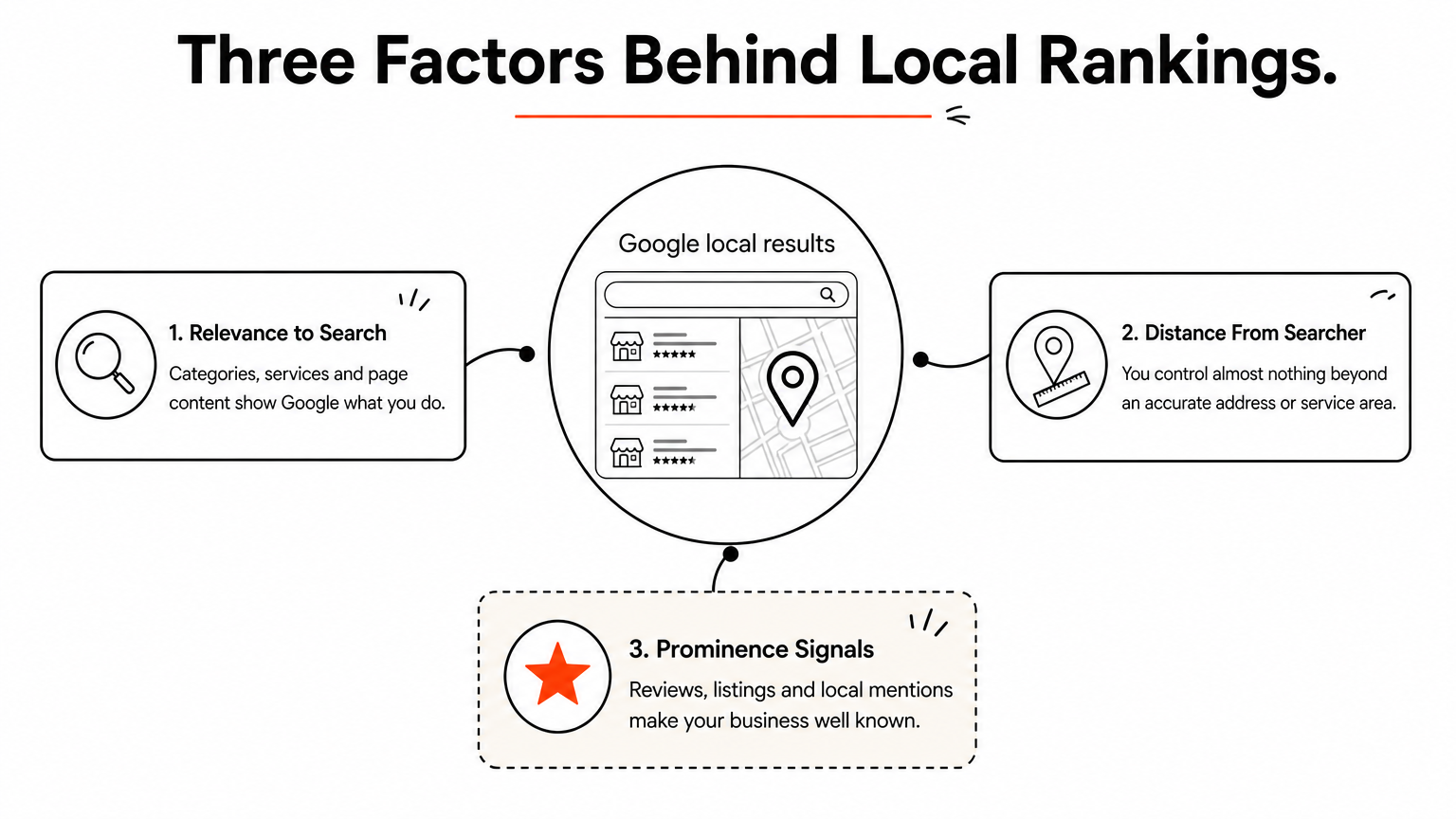
| Factor | What Google looks at | What you control |
|---|---|---|
| Relevance | How well your profile and site match the search | Categories, services, page content |
| Distance | How far you are from the searcher | Almost nothing, beyond an accurate address or service area |
| Prominence | How well known you are, from reviews, links and mentions | Reviews, listings, local mentions |
You cannot move the searcher, so the steps below work on relevance and prominence.
Distance is fixed, so relevance and prominence are where a small business wins.
What it costs and how long it takes
Doing it yourself costs time, not money. Plan on 3 to 4 hours of setup and about an hour a week after that. Hiring help costs more. HSP Automation's SEO & Local Search service runs $500 to $2,000 per month depending on competition, and local home service companies typically spend $750 to $1,500. Expect first movement in 3 to 6 months and significant results by 6 to 12 months.
Here is a worked example. A plumber who pays $1,000 a month for six months spends $6,000. If the average job is worth $450, about 14 extra jobs cover that cost. Whether that is realistic depends on your market, so use your own average job value. If your customers come from a defined area, SEO for a small local business is worth it. A homeowner with a leaking water heater still needs someone nearby, and your profile and website are what search tools read about you. If you want an 80/20 rule, it is this: your profile, your reviews and your service pages do most of the work.
Step 1. Set up your Google Business Profile
Claim and verify the profile
Search your business name on Google Maps first. If a listing exists, claim it. If not, create one at business.google.com. Google will ask you to verify ownership, usually by video, phone, text or email, depending on what it offers for your business. Use your real business name exactly as it appears on your sign and website. Adding keywords to the name violates Google's guidelines and can get the profile suspended.
If you travel to customers and don't serve them at your address, you can hide your street address and list a service area instead.
Fill in the fields that matter
Complete every field Google gives you. These carry the most weight:

- Primary category: pick the one that matches your main source of revenue. It is the field that matters most. Add secondary categories only if they are true.
- Services: list each one with a short description and, where it makes sense, a price or range.
- Phone and hours: use a local number, not a toll-free one, and keep holiday hours current.
- Description: say what you do and where, in plain sentences.
- Photos: upload your storefront, team, vehicles and real jobs. Skip stock images, and add new photos regularly.
Then post short updates about offers or finished jobs. Answer questions in the Q&A section yourself, so the right answers are the ones people see.
Your primary category tells Google what you are, so choose it before you touch anything else.
Step 2. Add local signals to your website
Build a page for each service and area
Your website must say what you do and where. Create one page per core service, and one per major city or area you serve if you have something real to say about it. Don't clone the same page with a new city name. Put your name, address and phone number as plain text in the footer, since Google can't read text inside an image, and embed your map on the contact page. To find the phrases to target, search your service plus your city and note the autocomplete suggestions and related searches.
Use this pattern for every page:
Title tag: [Service] in [City, State] | [Business Name]
Meta description: [Service] in [City]. [One proof point, such as years in business]. Call [phone] or book online.
H1: [Service] in [City, State]
Add LocalBusiness structured data
Structured data tells Google your hours, location and contact details in a format it reads directly. Paste a version of this into your homepage or contact page, replacing the placeholders. Google's local business documentation lists the other properties you can add.
<script type="application/ld+json">
{
  "@context": "https://schema.org",
  "@type": "LocalBusiness",
  "name": "[Business Name]",
  "url": "https://[yourdomain].com",
  "telephone": "[+1-555-555-5555]",
  "address": {
    "@type": "PostalAddress",
    "streetAddress": "[Street]",
    "addressLocality": "[City]",
    "addressRegion": "[ST]",
    "postalCode": "[ZIP]"
  },
  "openingHours": "Mo-Fr 08:00-17:00"
}
</script>
Check that your site loads fast on a phone. If you run a home service company, our free Website Grader scans speed, SEO, mobile usability and security in about 60 seconds, with no credit card.
A site that states your service and your area in plain text beats a pretty one that doesn't.
Step 3. Fix your listings and earn reviews
Make your name, address and phone match
Consistency builds trust with search engines. Choose one exact format for your name, address and phone number (NAP), and copy it everywhere: Apple Maps, Bing Places, Yelp, Facebook, and the directories for your trade. Google a few old phone numbers or addresses to find stale listings, then correct or remove them. A mismatch such as "Suite 4" on one site and "#4" on another is a small problem. A wrong phone number is a big one.
Ask for reviews and reply to every one
Reviews are the biggest prominence signal you control. Ask every customer right after the job, while they are happy, and send the direct review link from your profile. Do not offer discounts or gifts in exchange for reviews, and don't ask only your happiest customers. Google's policies prohibit both. Copy this message:

Hi [Name], thanks for choosing [Business] today. If we earned it, would you leave a quick Google review? It takes a minute and helps your neighbors find us: [review link]
Reply to every review within a day or two, good or bad. Keep replies short, specific and professional.
Reviews are the one prominence signal that you earn one customer at a time, so ask every time.
Step 4. Track results and keep improving
Measure the numbers that matter
Check three sources monthly. Your Google Business Profile performance shows calls, direction requests, website clicks and the searches that found you. Google Search Console shows which queries bring clicks to your site. And a simple call log, where you ask new customers how they found you, shows what the dashboards miss. Rankings also vary by searcher location, so don't judge by one search from your office.
Results take time. Give changes at least 3 months before you judge them, and keep a note of what you changed and when.
Keep a monthly routine
Local SEO is a habit, not a project. Once a month, spend an hour or two on this list:
- Add 3 to 5 new photos and one profile post.
- Reply to new reviews and send review requests to recent customers.
- Confirm hours, phone and services are still accurate.
- Add or improve one service page.
- Review your three metrics and note what moved.
A monthly hour spent on your profile, reviews and pages beats a one-time burst of effort.
Start with the profile
Local SEO for small businesses is a short list done consistently: a complete Google profile, a website that names your services and area, matching listings, a steady flow of reviews, and a monthly check on the numbers. You can finish the first three this week. Reviews and rankings build over months, so start now.
If you'd rather hand the work off, HSP Automation handles Google Business Profile optimization and ongoing local search for home service companies. It starts with a free, no-obligation consultation, so you know what you'd pay before any work begins.