November 25, 2026
7 HVAC Equipment History Tracking Software Essentials
Last Updated: November 24, 2026 Quick Summary HVAC equipment history tracking software keeps a record for each heating, ventilation and air conditioning unit, including serial number, model, installation details and every service visit. Technicians can review that history before arriving on site, wh
Written by Frankwin Hooglander — Founder & Automation Specialist
Last Updated: November 24, 2026
Quick Summary
HVAC equipment history tracking software keeps a record for each heating, ventilation and air conditioning unit, including serial number, model, installation details and every service visit. Technicians can review that history before arriving on site, which means fewer surprises and faster diagnoses. A complete record also supports preventive maintenance scheduling.
- Each unit record should capture serial number, model, location, service history, maintenance schedule and warranty information.
- Use dropdowns for fields like manufacturer and refrigerant to prevent spelling drift that breaks reporting.
- Pilot the system with two or three technicians and a few real units before the full rollout.
- Confirm you can export your full equipment and service history in a usable format before committing to a vendor.
- Reminders tied to each unit, not each customer, keep preventive visits from being missed.
Table of Contents
- What Is HVAC Equipment History Tracking Software?
- HVAC Equipment Tracking Software: What a Unit Record Should Hold
- Building an HVAC Equipment History Template
- Finding a Unit by Serial Number and Reading Its Service History
- HVAC Service History Software for Maintenance and Preventive Scheduling
- Training Technicians on HVAC Software Before Rollout
- Choosing Your First Equipment History System
- Frequently Asked Questions
What Is HVAC Equipment History Tracking Software?
HVAC equipment history tracking software is a system that stores a record for each heating, ventilation and air conditioning unit a business services. Each record holds the unit's serial number, model, installation details and every service visit, repair and maintenance task performed on it. Technicians can pull up that history before they arrive on site, which means fewer surprises and faster diagnoses.
Equipment details often live in a technician's memory, a spreadsheet nobody updates, or a paper file in a truck. When a customer calls about a unit installed five years ago, nobody can say what was done to it. Equipment history software fixes that gap by keeping the record in one place.
The category is growing because the underlying need is simple. Some products, such as Equipment Tracker Pro, describe records that include serial numbers, models, photos, parts, work orders and maintenance logs. The features differ from product to product, but the core job is the same: tie the unit to its history.
Some tools go further and add QR-based access. To see how Housecall Pro can be configured to organize equipment records and service history, visit Housecall Pro automation for home service businesses. A tag on the unit can link directly to its record, so a technician can open the history on a phone at the job site.
HVAC Equipment Tracking Software: What a Unit Record Should Hold
A useful unit record answers four questions quickly: what is this unit, where is it, what has been done to it, and what is due next. The fields below cover those questions.
- Identification: Serial number, model number, manufacturer and installation date
- Location: Property address and the specific unit location on site
- Service history: Work orders, repairs, parts replaced and technician notes
- Maintenance schedule: Preventive maintenance dates and any service agreement terms
- Documentation: Equipment photos, nameplate images and warranty information
The usefulness of maintenance records depends heavily on their quality. In practice, that means a record with a missing serial number or a vague technician note is far less useful than a complete one. Treat record completeness as a rule your team enforces, not a nice-to-have.
Watch out: a unit record that is filled in only when something breaks gives a misleading history. The gaps tend to fall exactly where the next technician needs information most.
Building an HVAC Equipment History Template
A template is only useful if two technicians filling it in on different days produce records that can be compared. That means deciding on field types and allowed values before the first record is created, not after a year of inconsistent entries. The table below is a practical starting standard for a residential and light-commercial HVAC unit record.
| Field | Format | Rule |
|---|---|---|
| Manufacturer | Dropdown | Locked list; add new brands through an admin, not free text |
| Model number | Text, uppercase | Copy exactly from the nameplate; no spaces or dashes added |
| Serial number | Text, uppercase | Required; scan or photograph the nameplate if unreadable |
| Unit type | Dropdown | Split system, packaged unit, mini-split, furnace, air handler, boiler |
| Capacity | Number plus unit | Tons for cooling, BTU/h for heating; record the rated figure, not an estimate |
| Refrigerant | Dropdown | R-410A, R-32, R-454B, R-22 and similar; drives compliance logging |
| Installation date | Date | Use the actual commissioning date when known; otherwise mark as estimated |
| Location | Structured | Property address plus a location label such as "attic," "rooftop unit 2," "garage" |
| Nameplate photo | Image | Required at install or first service; shows model, serial and ratings in one shot |
| Warranty | Date range plus text | Start and end dates plus the provider name |
Reserve free-text fields for observations that genuinely do not fit a category, such as "customer reports intermittent short cycle in humid weather." Everything that can be a dropdown should be a dropdown, because dropdowns eliminate the spelling drift that makes reporting unreliable.
Standardize the visit record too. Each service visit should capture date, technician, visit type (diagnostic, repair, preventive maintenance, warranty), condition found, work performed, parts used with part numbers, and outcome. A seasonal tune-up checklist can serve as the base for preventive visits so every spring and fall call produces the same fields. If one technician writes "compressor replaced" and another writes "new comp," you cannot count compressor failures across a fleet. Consistent visit fields also make it easier to align homeowner upkeep with technician records, since an hvac maintenance checklist can help distinguish routine care from work that signals a developing equipment problem.
Migrating existing records. Most small companies start with a mix of paper files, spreadsheets and memory. A workable sequence is:
- Export or compile your customer list and property addresses first, since every unit record hangs off a location.
- Build the unit list from installation and warranty paperwork, then fill model and serial numbers from nameplate photos taken on the next visit.
- Import the unit list in a batch, using the software's CSV import where available, and keep a copy of the source file.
- Backfill service history only for units under warranty or on a service agreement; older history can be attached opportunistically as technicians encounter units.
- Run a completeness check before go-live: count records missing a serial number, a model number or an installation date, and set a target for closing those gaps in the first quarter.
Watch out: importing a spreadsheet with inconsistent serial numbers (lowercase, stray spaces, transposed digits) creates duplicate unit records that are painful to merge later, so clean the source file before the first import rather than after.
Data portability. Ask any vendor how you can export your full equipment and service history, and in what format. A system that lets you pull a complete CSV of units and visits protects you if you change tools; one that only shows records inside its own app does not. Confirm the export path before you commit, and test it once with a small batch.
Finding a Unit by Serial Number and Reading Its Service History
The fastest lookup method is the serial number. Serial-number search lets a technician open a unit's record quickly, which is far faster than paging through paperwork beside a condenser.
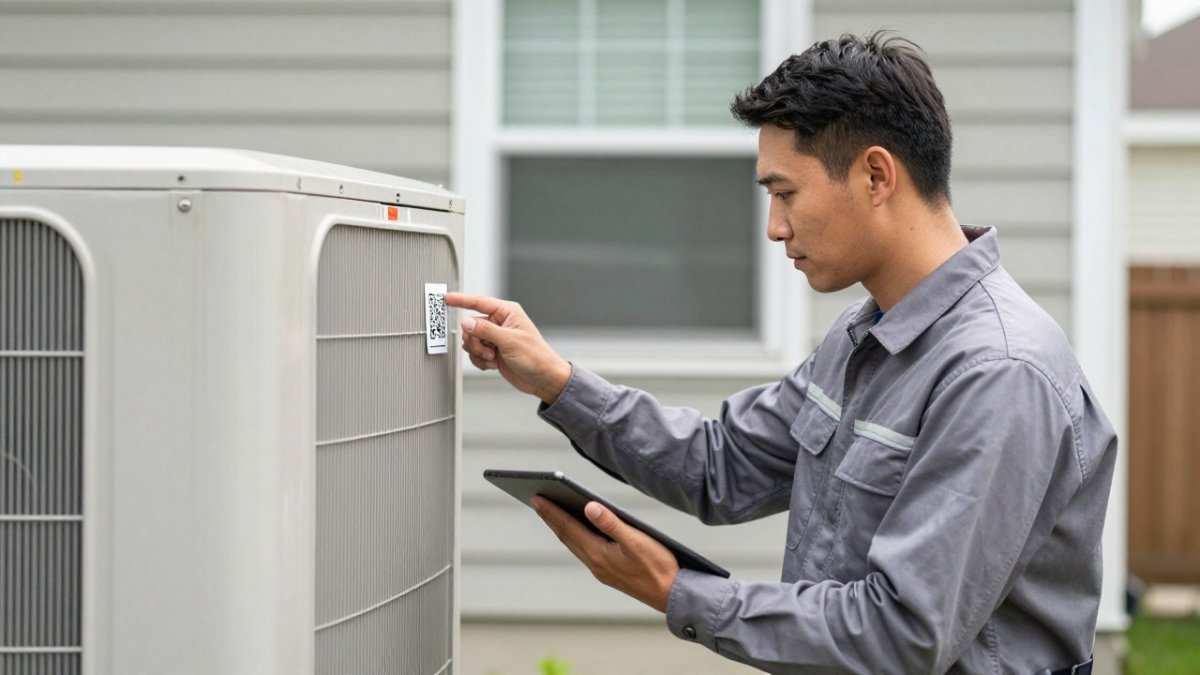
When you read a service history, look for three things. First, the time between repairs of the same type, which can signal a recurring fault. Second, repeated parts replacements. Third, gaps in preventive maintenance, which often explain the failures that come later.
!An HVAC technician in a work uniform scanning a QR tag on an outdoor condenser unit with a tablet in hand, at a residential property in daylight
Making the history readable matters as much as storing it. A timeline sorted by date, with the visit type and outcome visible at a glance, lets a technician understand the unit in under a minute.
HVAC Service History Software for Maintenance and Preventive Scheduling
Equipment history becomes most valuable when it drives scheduling. Preventive maintenance software uses the recorded service dates to generate reminders, so no unit goes a full season without a tune-up because someone forgot.
Set reminders by unit, not by customer. A ready-made HVAC seasonal maintenance checklist can serve as the basis for those recurring preventive visits. A household with two systems may need separate spring and fall visits for each. Tie reminders to the service agreement terms in the record, so the schedule reflects what the customer actually bought.
Automation is where small teams often gain the most time. Zapier workflows can send reminder messages, create follow-up tasks and update the job board without manual entry. HSP Automation builds these workflows for home service companies using platforms such as Housecall Pro and Jobber, so reminders and job records update without anyone retyping them. You can have an automation specialist build your Zapier workflows for you. Our custom Zapier integration for Housecall Pro includes 13 triggers and 49 actions, which covers most of the routine handoffs a service office needs.
The result is a schedule that runs itself. Your office staff spend less time chasing customers and more time booking the work.
Training Technicians on HVAC Software Before Rollout
Software only helps if the team uses it, and most failed rollouts fail on adoption rather than on the product. Support for team training on business software can help technicians and office staff get up to speed before go-live. A rollout that works tends to follow a sequence: pilot, permissions, field training, then measurement.
Pilot with a small group first. Pick two or three technicians and a handful of real units, including at least one unit with a messy history. Have them open records, add a visit, attach a nameplate photo and close a work order while you watch. The problems they hit in the pilot are the ones the whole team will hit in week one, so fix them before the wider rollout.
Set permissions before training. Decide who can view, edit and delete records, and who can see customer contact and payment details. A common pattern is technicians who can add visits and photos but cannot delete history, office staff who can edit schedules and agreements, and owners or managers who control exports and user accounts.
Train by role, not by feature. Technicians need to open a unit record by serial number or QR tag, add a visit, attach photos and close a work order. Office staff need to schedule preventive visits, read the reports and manage service agreements. Owners need to know which numbers to watch.
Plan for weak connectivity. Technicians work in basements, mechanical rooms and on rooftops where signal drops. Confirm whether the app can cache a unit record and queue a visit for later sync, and test it in a real dead zone before rollout.
Measure adoption in the first month. Check records weekly for the first month and fix problems as they appear. Useful measures include the share of completed visits with a photo attached, the share of unit records with a serial number and model number, and the number of visits logged per technician per week.
Expect resistance and address it directly. Technicians resist systems that feel like surveillance or that slow them down.
Choosing Your First Equipment History System
Start with the problem you need to solve. If your main pain is lookup speed in the field, prioritize serial-number search and mobile access. If preventive maintenance is what slips, prioritize scheduling and reminders. If your data is scattered, prioritize integration with the tools you already use.
Compare options on the features that matter to your workflow. For guidance on connecting lead and job management tools alongside equipment records, read integrating lead management tools for a small business. Several platforms serve this need, and their features differ in emphasis. Confirm current pricing and feature details directly with each vendor.
| Need | Look for |
|---|---|
| Fast field lookup | Serial-number search, QR access, mobile app |
| Preventive maintenance | Scheduling, reminders, service agreement tracking |
| Refrigerant compliance | Refrigerant logging and reporting |
| Connected office workflow | Integrations with your scheduling and billing tools |
Before you commit, test the system with a handful of real units. Check whether a technician can find a record in under a minute, and whether the history makes sense to someone who did not write it.
If you want help choosing and setting up a system that connects to the software you already run, HSP Automation can help you plan the workflow, build the integrations and train your team. Book an appointment to talk through your setup.
Frequently Asked Questions
What is HVAC equipment history tracking software? It is software that keeps a record for each HVAC unit, including serial number, model, installation details and every service visit. Technicians use it to see a unit's full history before working on it.
Why does equipment history matter for HVAC companies? A complete history lets technicians diagnose faster and plan preventive maintenance. It also reduces repeat trips caused by missing information about past repairs.
What should I look for in a system? Prioritize serial-number lookup, mobile access, preventive maintenance scheduling and integration with your existing tools. Confirm current pricing directly with the vendor.
Frequently Asked Questions
What is HVAC equipment history tracking software?
HVAC equipment history tracking software keeps a record for each unit a company installs or services. Each record typically holds the serial number, model, photos, installed parts, work orders, maintenance logs and preventive maintenance schedule. Technicians can open a unit's record in the field to see what was done before, which helps them diagnose problems faster and avoid repeating past work. Some products also let technicians scan a QR tag on the unit to pull up its history directly.
What should a small HVAC business look for in equipment tracking software?
Look for software that stores serial and model numbers, lets technicians add photos and parts to each record, and tracks preventive maintenance due dates. Mobile access matters because technicians need records on site. Check whether the system can import your existing customer data and whether it works with the accounting tools you already use. Ask each vendor for current pricing and a demo.
Can HVAC software track equipment by serial number?
Yes. Many HVAC tracking products can open a unit's record by serial number. Serial-number lookup is useful when a technician arrives at a job with no paperwork, because the record can be found by reading the label on the unit. Confirm that any product you evaluate supports serial lookup on mobile devices as well as on desktop.
How do you train HVAC technicians to use new service software?
Start with the tasks technicians perform every day, such as opening a unit record, adding a work order and logging parts used, and train on those first. Use a written procedure or standard operating procedure so everyone enters data the same way. Schedule short, role-based sessions rather than one long session, and check adoption in the first few weeks. HSP Automation offers role-based training workshops and custom SOP documentation as part of its services.
