November 21, 2026
Scheduling Software for Field Service: 7 Picks by Team Size
The best scheduling software for field service is the tool your dispatcher and technicians will open every day, at a price that fits your headcount. Solo owners and small crews do well with Connecteam...
Written by Frankwin Hooglander
The best scheduling software for field service is the tool your dispatcher and technicians will open every day, at a price that fits your headcount. Solo owners and small crews do well with Connecteam or Jobber. Housecall Pro suits small to mid-sized home service shops that want dispatch and customer messaging in one place. Workyard fits crews on construction-style jobsites. ServiceTitan fits larger trade companies with office staff, BuildOps fits commercial contractors, and Dynamics 365 Field Service fits enterprises already on Microsoft.
Most service businesses start with a paper calendar, a shared Google Calendar or a spreadsheet. That works until the first double-booked technician, the first emergency call that wrecks the day, or the first customer who asks where the truck is. Then you search, and every vendor page promises to save time and optimize routes. The real differences sit in pricing models, trial terms and what each tool does after the job is booked.
This guide compares seven tools on how they schedule, who they fit and what they cost. It then shows how to match one to your team size, trade and budget. At HSP Automation we configure and automate Housecall Pro, ServiceTitan and Jobber for home service companies, so you will also see what to set up after you buy.
1. Connecteam: free scheduling for small crews
Connecteam is the lowest-risk way to move off paper, because a free option exists and the app covers scheduling, work orders and time tracking together. It works best as a starting point for very small teams.
How scheduling works
Connecteam is built as an all-in-one mobile app for field teams. You create crew schedules and jobs, and your staff see their assignments on their phones. It leans toward crew and shift scheduling rather than a full dispatch board, so test whether it handles quick reassignments and customer notifications the way you need.
- Crew scheduling that staff view on mobile
- Work order management
- Time tracking in the same app
- Training tools for onboarding new hires
Who it suits
Connecteam suits solo owners and crews of a few people who want to stop using paper or spreadsheets without paying anything while they learn what they need. It also suits teams whose main pain is knowing who works where and when, rather than booking customers.
A free plan is a good place to learn what you need, not a place to stay once you dispatch every day.
Expect to outgrow it if you need online booking, quoting and invoicing tied to each job. At that point, Jobber or Housecall Pro is the natural next step.
Pricing and trial
Connecteam is one of the tools listed among free field service management apps. Free plans almost always cap users or features, so confirm the current limits on its site before you build your schedule around it.
- Entry cost: a free option is available
- Watch for: user caps and features locked to paid tiers
- Upgrade trigger: you need customer-facing booking or payments
2. Jobber: simple scheduling for small contractors
Jobber is a lightweight tool for small contractors who want scheduling, client records and invoicing without a heavy setup. It is a practical first paid tool for a team of one to ten.
How scheduling works
Jobber gives you a calendar view where you create jobs and assign them to your team. It keeps customer details, job history and communication in one place, and it turns quotes into invoices directly from scheduled jobs. Customers can request work through an online booking portal, which cuts down on phone tag.
- Job scheduling with a clear daily calendar
- Client management with job history
- Quotes converted to invoices from the job
- Online booking for customer requests
Who it suits
Jobber suits small contractors with a steady flow of jobs, such as lawn care, cleaning, plumbing or handyman businesses. It rewards teams that care about ease of use more than advanced dispatch controls.
Jobber wins when the owner is also the dispatcher and wants one screen for the day.
The trade-off is depth. It does not offer GPS-verified time tracking or payroll integration, so a crew that needs verified hours for job costing will need an add-on or a different tool.
Pricing and trial
Jobber plans start from $29 per month for one user on annual billing, with a 14-day free trial. Each added user and each higher plan raises the bill, so price your actual headcount, and check Jobber's pricing page before you commit because rates change.
- Entry price: from $29/month, one user, billed annually
- Trial: 14 days
- Watch for: cost of extra users and higher tiers
3. Housecall Pro: dispatch for small home service teams
Housecall Pro is built for home service businesses that want to book jobs, dispatch technicians and message customers from one app. It is the most common pick for HVAC, plumbing and electrical shops with daily service calls.
How scheduling works
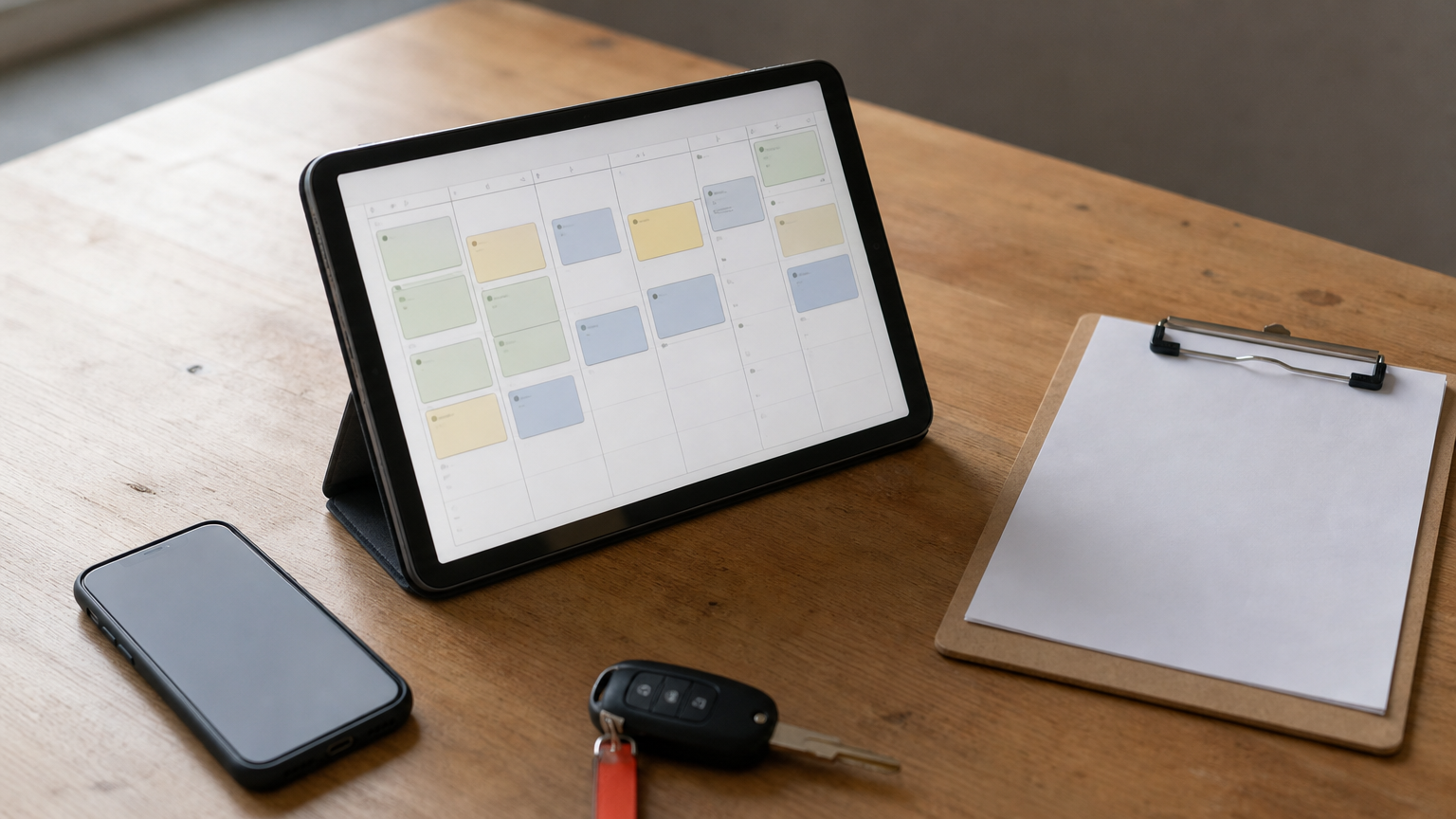
You drag and drop jobs onto a technician's calendar, and changes reach the technician's phone as the schedule shifts. Customers get reminders, arrival updates and status alerts automatically. After the job, the tech can invoice and collect payment on the spot.
- Drag-and-drop scheduling
- Real-time dispatch updates to technicians
- Automated customer reminders and arrival alerts
- Invoicing and payments at job completion
Who it suits
Housecall Pro suits HVAC, plumbing and electrical contractors with small to mid-sized teams who want quick setup and strong customer communication. It is lighter on GPS-verified labor tracking and payroll, so shops that need those should plan for them separately.
Housecall Pro is strongest when customer messaging matters as much as the dispatch board.
If you already run it, much of the daily admin around the schedule can be automated. Our Housecall Pro Custom Zapier Integration adds 13 triggers and 49 actions that the standard Zapier app lacks. They cover things like auto-sent quotes and invoices, technician routing and tag automation.
Pricing and trial
Housecall Pro offers a 14-day free trial. Plans and prices change, so read the current pricing page before you decide and confirm which features sit in which tier.
- Trial: 14 days
- Watch for: features gated to higher plans
- Automation add-on: our Zapier integration is $147/month plus a one-time $147 setup fee after a 14-day free trial, and you need your own Zapier account
4. Workyard: crew scheduling tied to GPS and payroll
Workyard is aimed at construction and field crews who need the schedule to connect to time tracking, work orders and payroll. If labor cost per job is your headache, it deserves a look.
How scheduling works
Workyard ties the schedule to GPS-verified time and work orders. Dispatch pushes assignments and changes to crew phones, and a live map shows each worker's location and current job. Work orders close out in the field with photos, notes and status updates, and hours flow into payroll exports.
- Real-time scheduling and dispatch to crew phones
- Live GPS map of crews
- Work orders with photos and notes
- Offline mode for low-signal sites
Who it suits
Workyard suits construction contractors, roofers and service crews working across several jobsites at once. It also suits owners who lose money on mismatched timesheets and want the schedule and the hours in one record.
If your problem is paying for hours you cannot verify, choose the tool that ties the schedule to GPS time.
Its focus is crews, time and work orders. During the trial, check how it handles customer booking and invoicing, because those are not its center of gravity.
Pricing and trial
Entry pricing starts at $6 per user per month plus a $50 base fee, billed annually, with a 14-day free trial. Features such as GPS tracking and work order management may sit in a higher plan, so price the plan you will actually use.
- Entry price: $6/user/month + $50 base, billed annually
- Trial: 14 days
- Example: 10 users at the entry rate is 10 × $6 + $50 = $110 per month
5. ServiceTitan: deep dispatch for larger trade companies
ServiceTitan is a full field service platform for larger trade businesses that need advanced dispatch, call booking and reporting. It gives owners a complete operational picture, at higher cost and with a longer rollout.
How scheduling works
The dispatch board assigns jobs, tracks technicians and manages the schedule in real time. Call booking turns inbound calls into scheduled jobs, which matters if a call center or dedicated office staff handles your phones. Reporting and CRM tools show performance, revenue and customer history in the same system.
- Advanced dispatch board
- Call booking and scheduling
- Reporting and analytics
- CRM and customer history
Who it suits
ServiceTitan suits mid-sized to large contractors managing multiple crews, higher job volume and a real office team. A tool this deep pays off only when someone owns the configuration of job types, dispatch rules and dashboards.
ServiceTitan rewards companies with the staff to run it, and punishes those without.
Small shops usually pay for features they never touch. If you are under about five technicians, start with a simpler tool and upgrade when dispatch becomes a full-time job.
Pricing and trial
ServiceTitan prices per technician and negotiates the figure during the sales process. It has been quote-based without a free trial, so you request a demo and a custom quote.
- Pricing model: per technician, custom quote
- Trial: none reported, demo instead
- Ask about: onboarding fees, support tiers and integration costs
6. BuildOps: scheduling for commercial MEP contractors
BuildOps is a commercial field service platform for contractors who run recurring service work and longer projects at the same time. It combines dispatch with project tools in one system.

How scheduling works
The dispatch board uses day or week views with filters for technician skill, certification and availability. Work orders carry photos, videos, PDFs and audio from the field. Project tools cover submittals, RFIs, change orders and daily reports, and converted work orders become invoices, with a QuickBooks Online integration.
- Drag-and-drop dispatch with skill filters
- Work orders with rich attachments
- Project management for longer jobs
- Reporting on margins and job costing
Who it suits
BuildOps suits commercial HVAC, mechanical, electrical and plumbing contractors that need service dispatch and project management without buying two products. It does not suit small residential crews that just want a calendar.
Choose BuildOps when your work orders and your construction projects need to live in one system.
Plan for a demo-driven buying process, since the vendor does not publish a price list.
Pricing and trial
BuildOps does not publish pricing. It quotes by user count and selected modules, so the number depends on how much of the platform you turn on.
- Pricing model: custom quote
- Trial: demo-based
- Ask about: module costs, implementation and QuickBooks sync support
7. Dynamics 365 Field Service: for Microsoft shops
Microsoft Dynamics 365 Field Service is an enterprise scheduling and service platform inside the Microsoft ecosystem. It makes sense when the rest of your company already runs on Microsoft tools.
How scheduling works
It covers scheduling and dispatch, plus resource scheduling optimization that matches jobs to technicians by skills and availability. It tracks assets, equipment and service history, and it connects to CRM and reporting. Copilot AI assistance for scheduling and job summaries is available on the full Field Service plan.
- Scheduling and dispatch tools
- Skill-based technician matching
- Asset and maintenance tracking
- Copilot AI on the full plan
Who it suits
It suits large service operations already using Dynamics, Teams or Azure that can fund implementation and customization. The setup depends on how deeply it connects to your existing Microsoft systems.
If you do not already live in Microsoft, this is rarely the cheapest route to a working schedule.
A ten-person plumbing company will spend more time configuring it than dispatching with it.
Pricing and trial
Microsoft offers a 30-day free trial of Dynamics 365 Field Service. Check the current rates on the Microsoft Dynamics 365 Field Service pricing page, and budget for implementation work on top of licenses.
- Trial: 30 days
- Watch for: implementation and customization costs
- Ask about: which features need the full plan
How to choose scheduling software for your service business
Pick by team size first, trade second and budget third, then prove the choice with a week of real jobs. The same logic applies to service industry scheduling software for cleaning, pest control or lawn care as it does for HVAC and plumbing.
Match the tool to team size and trade
This table puts the seven tools side by side using the figures above.
| Tool | Best for | Pricing signal | Trial |
|---|---|---|---|
| Connecteam | Solo owners, very small crews | Free option | Free plan |
| Jobber | Small contractors | From $29/month, 1 user, annual | 14 days |
| Housecall Pro | Small to mid home service shops | Check current plans | 14 days |
| Workyard | Construction and multi-site crews | From $6/user/month + $50 base, annual | 14 days |
| ServiceTitan | Mid-sized to large trade companies | Per technician, quote | Demo |
| BuildOps | Commercial MEP contractors | Quoted by users and modules | Demo |
| Dynamics 365 Field Service | Microsoft-based enterprises | See Microsoft pricing page | 30 days |
Recurring-visit trades such as lawn care, cleaning and pest control should test how each tool handles repeat jobs and grouping visits by area. Cleaning companies can also look at TidyOps, which we built as an operating system for residential and commercial cleaning companies. Holiday lighting installers can look at our Christmas Light Calculator, which includes quoting, CRM and scheduling.
Team size narrows the field to two or three tools, and your trade picks the winner.
Run the budget math
Price the whole team, not the headline number. Across this category, published prices run from about $6 to $105 or more per user per month, and enterprise platforms quote by demo only.
Take a 10-technician crew on Workyard's entry rate: 10 × $6 + $50 base = $110 per month, or $1,320 per year on annual billing. That is the floor, so confirm which plan includes GPS and work orders before you budget. For a quote-based tool like ServiceTitan or BuildOps, ask for the first-year total including onboarding, support and integrations, not only the license.
Test the features that decide daily use
Free trials last 14 to 30 days, so use them on real work. Run this checklist before you pay:
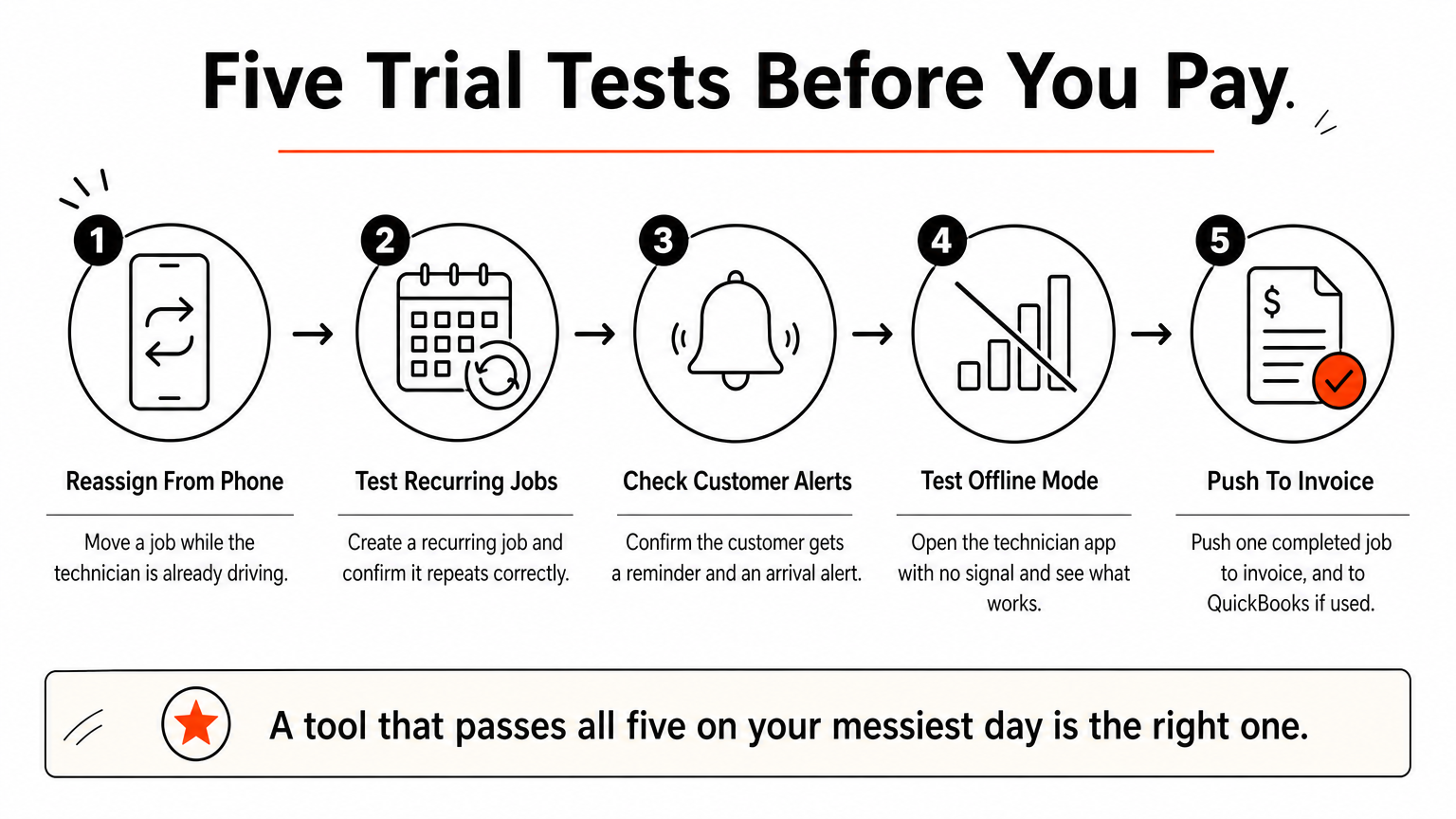
- Reassign a job from your phone while the technician is already driving.
- Create a recurring job and confirm it repeats correctly.
- Check that the customer gets a reminder and an arrival alert.
- Open the technician app with no signal and see what still works.
- Push one completed job through to invoice and, if you use it, to QuickBooks.
A tool that passes all five on your messiest day is the right one.
Set up the tool so it keeps working
Buying the software is half the job. Our CRM Setup & Optimization service configures Housecall Pro, ServiceTitan and Jobber around how your team operates, covering workflows, job types, pricing tiers and team permissions. For ServiceTitan that includes KPI dashboard configuration, and for Jobber it includes workflow and scheduling setup. Automation then removes the follow-up work that still lands on the office after the schedule is built.
Pick one tool and test it on real jobs
The right scheduling tool matches your team size and trade, fits your first-year budget and survives a week of messy real jobs. Connecteam and Jobber suit the smallest teams. Housecall Pro suits home service shops that dispatch daily. Workyard suits crews that need verified hours, and ServiceTitan, BuildOps and Dynamics 365 suit larger and commercial operations.
Shortlist two tools, start both trials the same day, and run the five-step checklist on each. Then spend your first weeks configuring job types, notifications and permissions properly, because that is where most of the value comes from.
If you want a hand choosing or setting up Housecall Pro, ServiceTitan or Jobber, book a free consultation with HSP Automation. We will look at your workflow and tell you what you would pay before any work starts.